Yume Dev Playground - Click an Icon to Play

-
[ React Native ] Bottom SheetApplication/React Native 2025. 10. 19. 17:06반응형
메인 화면에 추가 컨텐츠를 bottom sheet를 활용하여 구현해보고자 하여 기능을 구현
Installment
아무생각 없이 했다가 버전의 호환때문에 계속 오류가 나다가 버전을 낮췄더니 정상적으로 되었다.
bottom-sheet 4.x.x 버전과 reanimated 3.x.x 버전을 사용
npm install @gorhom/bottom-sheet@^4 react-native-reanimated^3 react-native-gesture-handler설치완료 후에는 babel.config.js에 plugin을 추가해준다.
module.exports = {
    presets: ['@react-native/babel-preset'],
    plugins: ['react-native-reanimated/plugin'],
};
Useage
이후 bottomSheet component를 생성
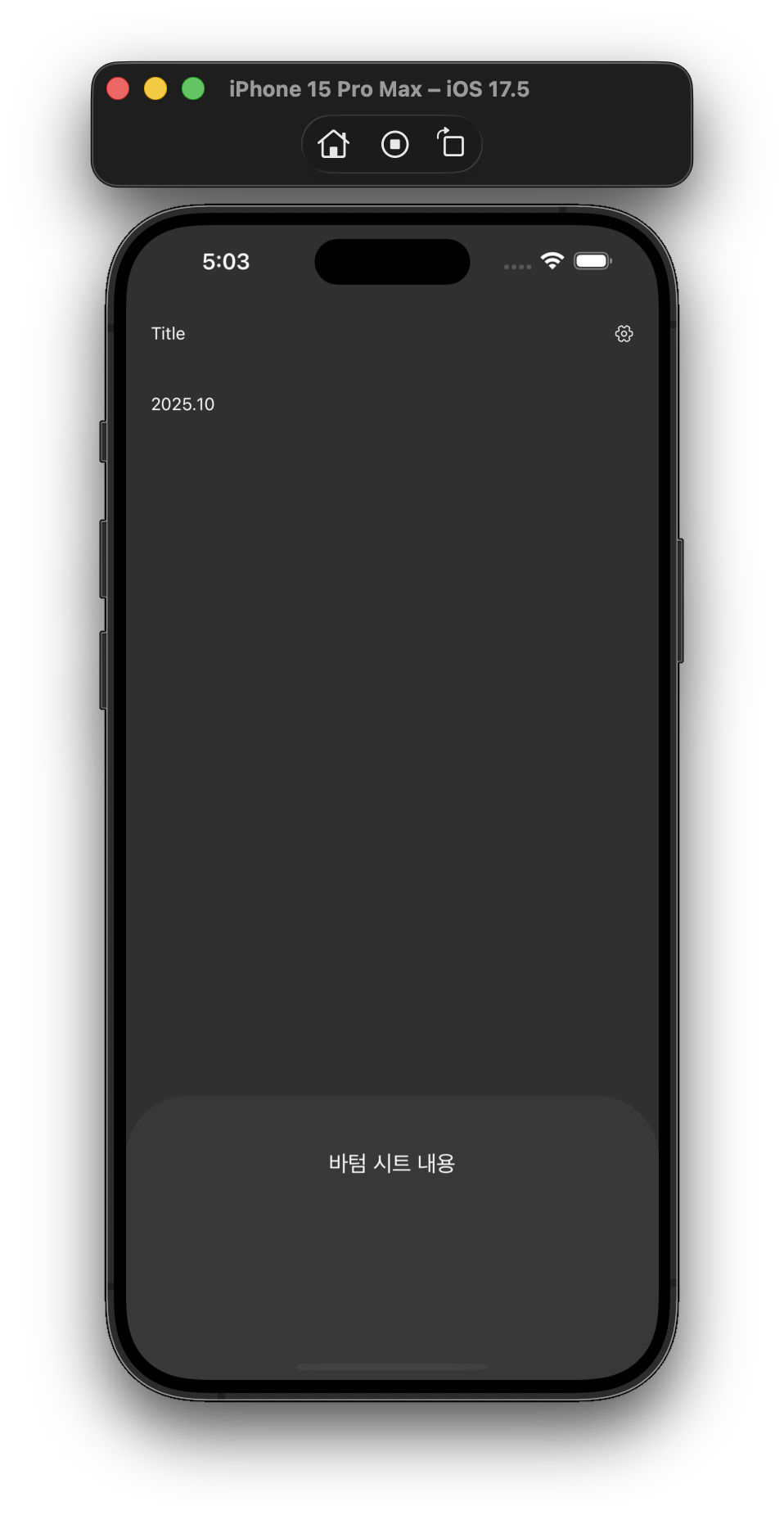
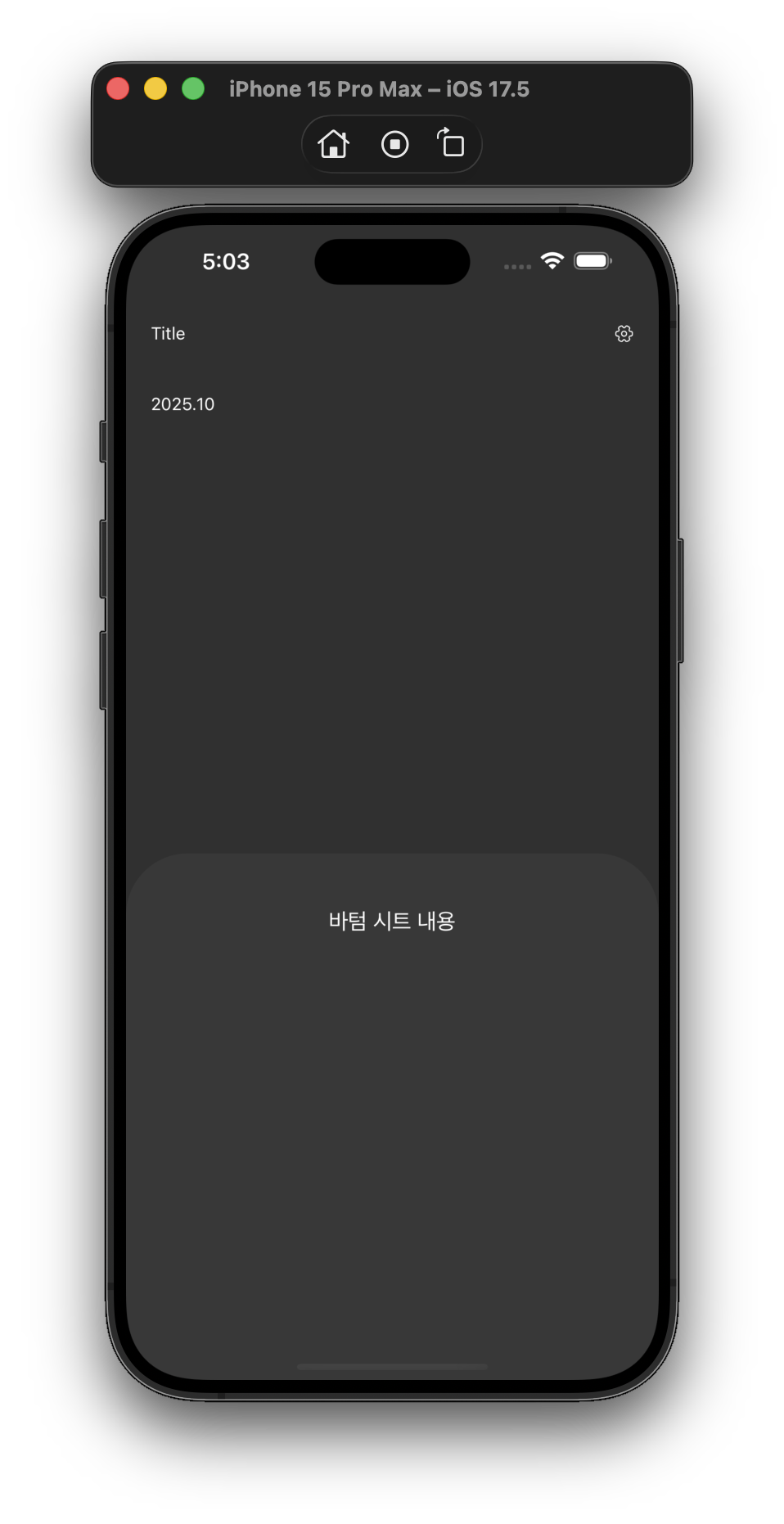
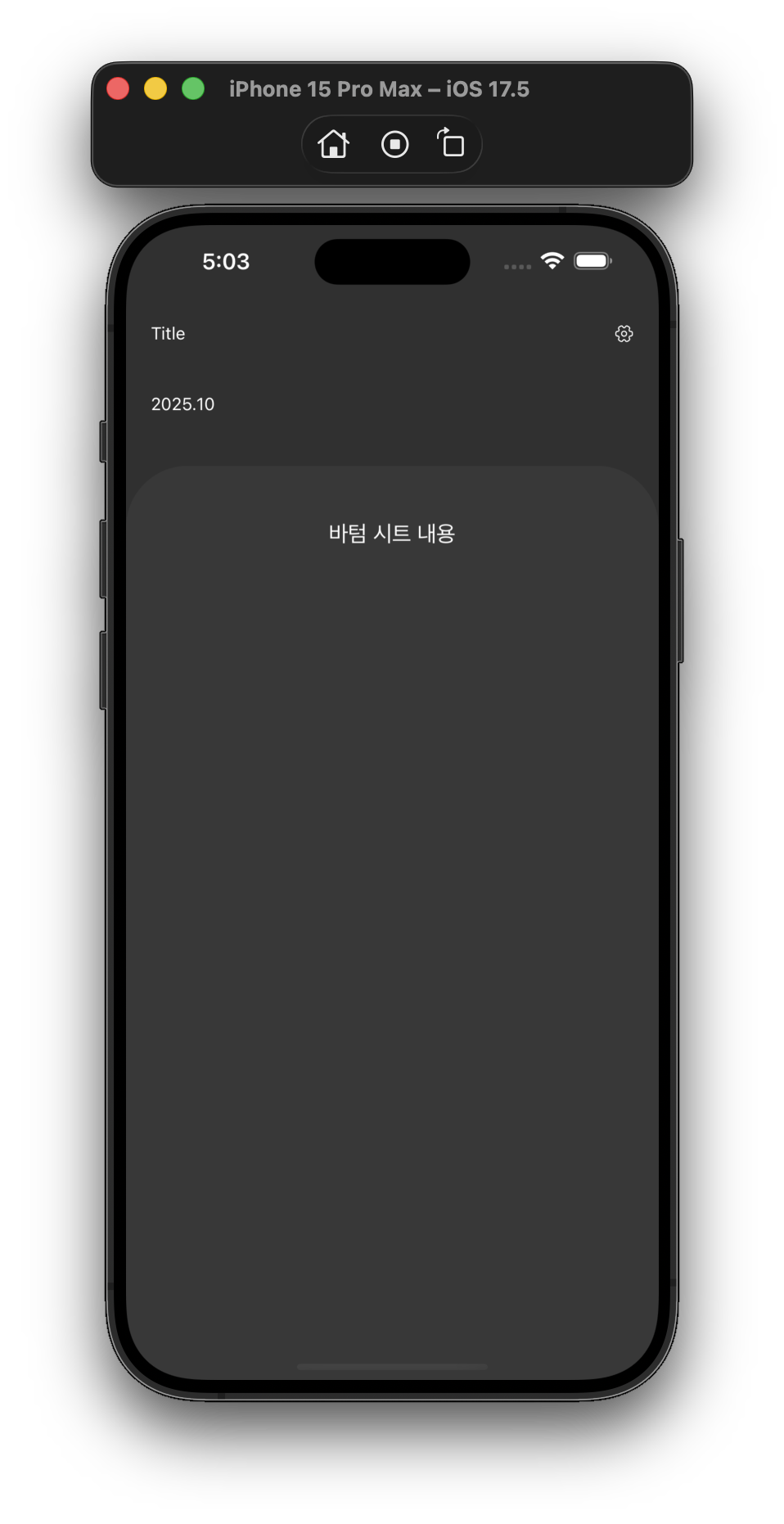
snapPoints는 제스처를 취하면 해당 sheet의 영역 차지 비율을 단계로 나눠서 설정할 수 있다.modal이 아닌 항상 화면에 표시되는 방식으로 하기 때문에
handleIndicatorStyle에서 handler를 투명화
import {useMemo, useRef} from "react";

import {StyleSheet, View} from "react-native";
import BottomSheet from "@gorhom/bottom-sheet";
import {AppText} from "@/components";
import {theme} from "@/constant/theme.ts";

const BottomTodoSheet = () => {
    const sheetRef = useRef<BottomSheet>(null);
    const snapPoints = useMemo(() => ['25%', '50%', '90%'], []);

    return (
        <BottomSheet
            ref={sheetRef}
            index={0}
            snapPoints={snapPoints}
            backgroundStyle={[
                styles.sheet,
                { backgroundColor: theme.app_theme_boxBackground }
            ]}
            handleIndicatorStyle={{ backgroundColor: 'transparent' }}
        >
            <View style={{ padding: 20, alignItems: 'center', justifyContent: 'center' }}>
                <AppText style={{ fontSize: 18 }}>바텀 시트 내용</AppText>
            </View>
        </BottomSheet>
    );
};

const styles = StyleSheet.create({
    sheet: {
        backgroundColor: 'white',
        borderTopLeftRadius: 50,
        borderTopRightRadius: 50,
        overflow: 'hidden',
    },
});


export default BottomTodoSheet
이후 사용할 곳에 해당 컴포넌트를 불러와주고
해당 컴포넌트에는 GestureHandleRootView로 감싸주어서 사용
return (
        <GestureHandlerRootView style={{ flex: 1 }}>
        <AppView header={true} style={styles.container}>
            <AppText>{formatDateLocale(today, 'YYYY.MM')}</AppText>
            <BottomTodoSheet/>
        </AppView>
        </GestureHandlerRootView>
    );
그럼 이렇게 제스처를 어느정도 하느냐에따라서 snapPoint를 설정한 크기만큼 늘어난다.
이때 safeArea를 설정해두다보니 safeArea의 background가 위아래가 다르게 적용시키기 위해서 customSafeArea를 만들어서 메뉴에따라 safeArea의 위 아래 부분의 background가 변경되도록 처리
 728x90반응형
'Application > React Native' 카테고리의 다른 글
[ React Native ] 캘린더 공휴일 데이터 API (0) 2026.03.08 [ React Native ] React Native Calendar 커스텀 (0) 2026.01.17 [ React Native ] FlatList + slide card (0) 2025.10.15 [ React Native ] i18n 적용 언어변경하기 (0) 2025.10.12 [ React Native ] 직접 Popup 만들기 (0) 2025.10.08