[ Vue ] Vue Draggable
트리구조의 드래그를 사용할때는 el-tree를 사용했지만,
단순히 level1의 드래그에서는 el-tree를 쓰면 더 복잡할 것같아서 vue draggable을 사용
Installment
vue draggable은 vue2 버전과 vue3 버전에 따라서 설치하는 라이브러리가 다르다.
https://sortablejs.github.io/Vue.Draggable/#/simple
vuedraggable
sortablejs.github.io
https://github.com/SortableJS/Vue.Draggable?tab=readme-ov-file
GitHub - SortableJS/Vue.Draggable: Vue drag-and-drop component based on Sortable.js
Vue drag-and-drop component based on Sortable.js. Contribute to SortableJS/Vue.Draggable development by creating an account on GitHub.
github.com
[ Vue3 ]
npm install vuedraggable@next
[ Vue2 ]
npm install vuedraggable
각 버전 vue 버전에 따라서 사용법도 다르므로 git에서 사용법을 잘 보고 버전에 맞게 사용
Useage
v-model로 drag할 아이템들 리스트로 전달
group을 설정. 여기서 group은 같은 화면에 draggable영역이 여러개 있을때 이 group으로 draggable 영역을 구분한다.
만약 두개의 draggable영역이 있을때 둘다 group을 같은 이름으로 정하면 두 영역간에도 서로 drag&drop을 할 수 있다.
이후 <template #item> 으로 drag할 요소를 넣어주면 각 item도 원하는 디자인으로 수정이 가능하다.
@start, @end 이벤트로 drag하는 항목의 정보를 가져올 수 있고, drop한 항목의 정보들을 가져올 수 있다.
이때 item-key값이 order 순서를 어떤 값으로 할지 정하는 것이므로
number타입으로 0,1,2.. 이런식의 key값을 정해서 item-key를 설정해줘야한다.
<script setup lang="ts">
import {ICONS} from "@/constant/icons.ts";
import SvgIcon from "@/components/common/SvgIcon.vue";
import CategoryItem from "@/popup/category/component/CategoryItem.vue";
import {ref} from "vue";
import Draggable from 'vuedraggable'

const items = ref([
  {
    id: '1',
    color: 'red',
    title: '테스트'
  },
  {
    id: '2',
    color: 'blue',
    title: '테스트2'
  },
  {
    id: '3',
    color: 'yellow',
    title: '테스트3'
  }
])

/* 드래그 */
const dragItemId = ref<string | null>(null)
const onDragStart = (e: any) => {
  dragItemId.value = items.value[e.oldIndex].id
}

const onDragEnd = (e: any) => {
  dragItemId.value = null
}
</script>
<template>
<div class="popup-category-wrapper">
  <div class="header">
    <div>카테고리 편집</div>
    <svg-icon :icon="ICONS.CLOSE" :size="'large'"/>
  </div>
  <div class="content">
    <draggable
        v-model="items"
        group="category"
        item-key="id"
        @start="onDragStart"
        @end="onDragEnd"
    >
      <template #item="{ element }">
        <category-item
            :title="element.title"
            :color="element.color"
            :class="{'drag': element.id === dragItemId}"/>
      </template>
    </draggable>
  </div>
</div>
</template>
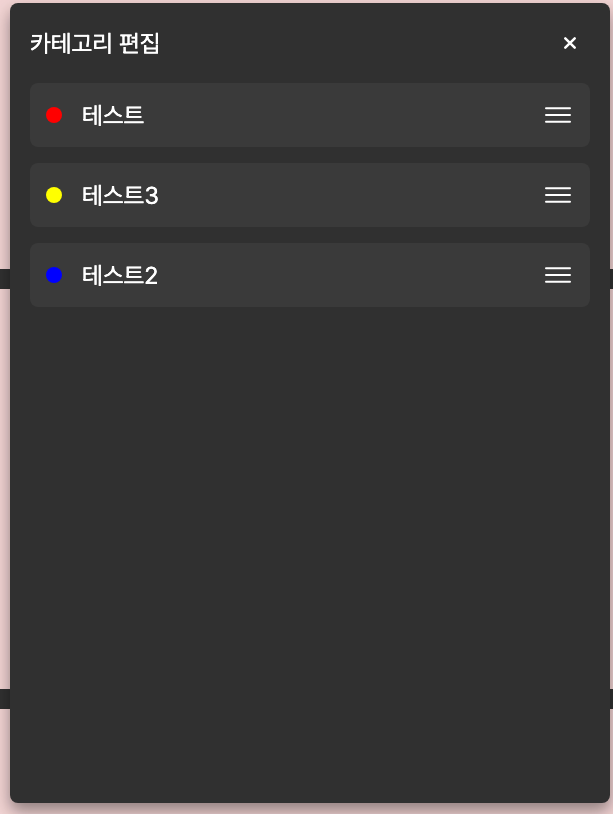
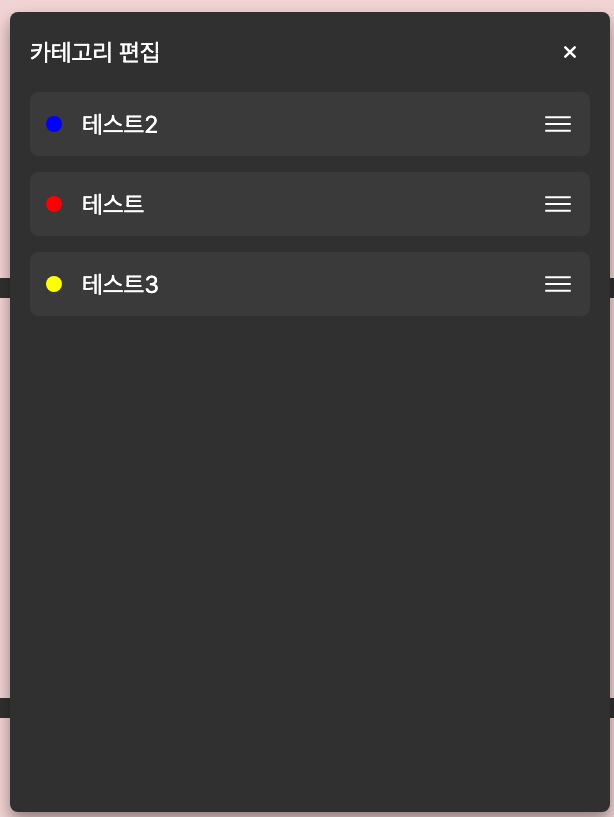
이러면 드래그 앤 드롭으로 순서를 바꿀 수 있다.